Sound Design: What It Is, Core Techniques, and How to Get Started
Sound design is the art of creating, shaping, and manipulating audio to produce original sounds — whether that's sculpting a synth bass for an electronic track, building a cinematic atmosphere for a film, or crafting a notification chime for an app. At its core, the practice means deciding what your sounds sound like, not just which notes they play. Anyone who has ever tweaked a filter cutoff, layered two kicks together, or run a vocal through effects has already done some form of it — even without calling it that.
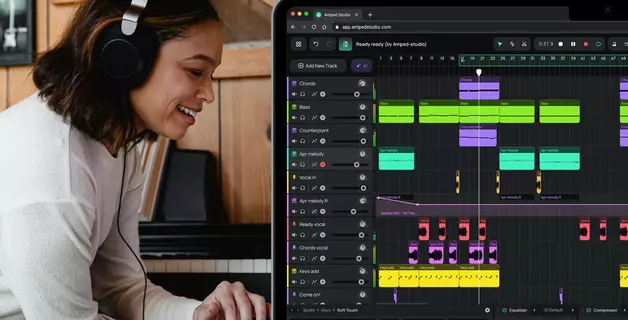
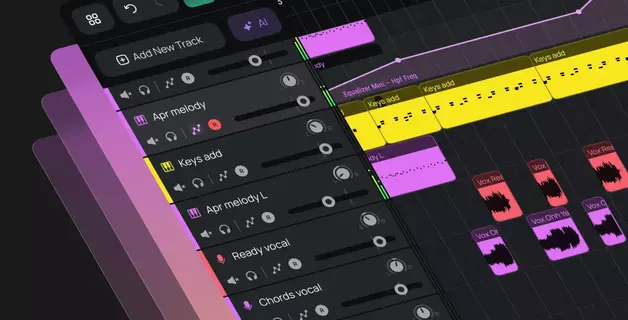
Amped Studio's browser-based DAW gives you a direct path into this craft: built-in synthesizers like VOLT and VOLT Mini cover subtractive fundamentals, Granny handles granular textures, Dexed provides a full FM synthesis engine, and over 20 built-in effects let you build effects chains without installing anything. VST3 plugin support via VSTremote bridge extends your toolkit further when you need specialized tools beyond what's included.
This article breaks down everything a producer needs to know — from what the term actually means across different fields, through the core sound design techniques that professionals use daily, to a step-by-step workflow you can follow in any DAW. We'll also cover the best sound design software (including free options) and lay out a practical learning path for beginners.
Key Takeaways
- The practice involves creating sounds from scratch or reshaping existing audio using synthesizers, samplers, recordings, and effects — it's about timbre and texture, not melody or harmony.
- Six essential techniques: subtractive synthesis, FM synthesis, wavetable synthesis, sampling/resampling, layering, and effects chain processing.
- You don't need expensive gear. Free synths like Vital and Surge XT, combined with a browser-based DAW like Amped Studio, cover everything beginners need.
- A repeatable workflow — intent → source → shape → movement → context → save — turns random experimentation into reliable creative output.
- Building a personal sound library over time is one of the highest-value habits a producer can develop.
What Is Sound Design?
At its simplest, this is the process of creating and sound shaping rather than using audio as-is. But the term covers several distinct disciplines, and understanding which branch you're dealing with saves confusion.
Sound Design in Film, TV, and Games
This is the oldest and most established meaning. A sound designer in film or game production builds the entire sonic world you hear — everything that isn't dialogue or the musical score.
Think of iconic examples: the lightsaber hum (TV interference mixed with a projector's motor noise), the T-Rex roar in Jurassic Park (layered from dog, penguin, and walrus recordings), or the hit-marker sound in a first-person shooter. Each was built from scratch using field recording, foley, and audio processing.
This branch includes foley (performing everyday physical sounds in sync with picture), SFX editing (cutting and layering pre-recorded effects), ambiance construction (building background environments), and creature or vehicle audio (constructing sounds for things that don't exist in reality).
What Is Sound Design in Music Production?
This is the branch most relevant to producers and beatmakers — and the primary focus of this article.
In music, the practice means creating original timbres and textures using synthesizers, samplers, and effects processing. When a producer opens a synth and sculpts a bass patch from an initialized state rather than loading a preset — that's designing sounds. When someone layers three kick samples, EQs each separately, adds saturation, and bounces to a single file — that's the same discipline at work.
The key distinction: composing decides which notes to play. This craft decides what those notes sound like. A composer writes a melody; the designer builds the instrument that plays it.
In genres like electronic music, these two practices become inseparable. An EDM drop lives or dies on its lead synth patch. An ambient track is defined entirely by its textures. A trap beat's identity comes from its 808 bass character. Here, designing sounds isn't a separate step — it IS the creative act.
Other Branches
Theater and installation audio involves creating full sonic environments for live performances — spatial audio, triggered cues, ambient atmospheres. UX and product audio design is the craft of creating interface sounds: notification tones, startup chimes, confirmation clicks. Companies like Apple and Tesla invest heavily in how their products sound. For the rest of this article, we'll focus on the music production context.
Core Sound Design Techniques
The craft might seem like it demands deep technical knowledge, but most of it comes down to a handful of core methods applied in different combinations. Master these six and you can create virtually any sound you hear in modern music.
Subtractive Synthesis
The most common and beginner-friendly approach to synth sound design. You start with a harmonically rich waveform — sawtooth or square — and subtract frequencies using a filter (usually low-pass) to shape the result.
Almost every classic analog synth sound design patch uses this method. That warm, sweeping pad? A sawtooth with a slow low-pass filter sweep and reverb. That thick bass? A square wave with the filter closed to keep only the low harmonics. These are the sounds that defined entire decades of pop, funk, and electronic music.

Subtractive synthesis is where most beginners should start because the process is intuitive: hear everything, then remove what you don't want. In Amped Studio, VOLT Mini gives you a single oscillator with low-pass, high-pass, and band-pass filters for quick patches, while the full VOLT adds dual layers with two oscillators each, ring modulation, and hard sync for more complex timbres.
FM Synthesis
FM (Frequency Modulation) synthesis creates sound by using one oscillator (the modulator) to rapidly alter the frequency of another (the carrier). The result is complex, often metallic or bell-like timbres impossible to achieve with subtractive methods alone.
FM powered the Yamaha DX7 — the best-selling synthesizer of the 1980s — and its characteristic electric piano, bell, and bass sounds defined an entire decade of pop music. Modern FM synths are far more approachable, with visual feedback showing exactly how modulation routing affects the output.

The technique is especially valuable for percussive sounds, metallic textures, and evolving timbres. Amped Studio includes Dexed, a faithful DX7 emulation with all six operators and 32 algorithms — the same architecture that created those era-defining patches.
Wavetable Synthesis
Wavetable synthesis cycles through a table of different waveforms. Instead of one static shape, the oscillator scans across dozens or hundreds of waveform snapshots, creating sounds that evolve and morph over time.
This engine powers popular modern synths like Serum and Vital. For electronic music sound design, wavetable synths have become the default starting point because they're visual, flexible, and capable of both subtle and extreme timbral variation. Another option, available in Amped Studio right in your browser as a separate purchase is Europa synth by Reason Studios.

Sampling and Resampling
Sampling means recording or importing a real-world sound as your raw material. Resampling goes further: record the output of your own synths or processing, then treat that recording as a new starting point for additional sound manipulation.
This is one of the most powerful techniques because it lets you build in sound layers. Make a synth patch, bounce to audio, pitch it down, reverse it, add distortion, bounce again, chop it up — each pass adds complexity impossible to create in a single synth. The iterative nature of resampling is what makes it so powerful: you're not limited to what any single tool can produce. Instead, you're stacking generations of processing on top of each other.
Resampling is essential in dubstep, experimental bass music, and media audio work, where producers build signature sounds through dozens of iterative processing cycles.
Amped Studio's AI Splitter adds another dimension: separate any mixed track into stems (vocals, drums, bass, piano, other), then use those isolated elements as raw material for entirely new creations.
Layering
Layering combines multiple sound sources into a single composite. A common example: stacking a punchy kick sample with a sub-bass tone and a click transient to build a kick with weight, impact, and definition across the frequency spectrum.
The key to effective layering is giving each layer its own frequency range and role. If two layers compete for the same frequencies, the result is muddy rather than rich. Amped Studio's Drumpler makes this straightforward for percussion: load samples onto its 12 pads, adjust pitch and pan per pad, and use choke groups so open and closed hi-hats cut each other off naturally.
Effects Processing and the Effects Chain
Effects processors — reverb, delay, distortion, chorus, flanging, phasing, filtering, compression — are sound design tools in their own right. The order you stack them (your effects chain) dramatically changes the result.
Distortion before reverb creates a huge, aggressive wall of sound. Reverb before distortion creates a smeared, lo-fi texture. Same two effects, reversed order, completely different outcome. This is where creative sound design lives — in unexpected combinations and unconventional applications.
Amped Studio includes over 20 built-in effects: EQ, Compressor, Delay, Reverb, BitCrusher, three amp simulators (Clean Machine, Disto Machine, Metal Machine), plus Chorus, Flanger, Phaser, Tremolo, and Vibrato. Chain them in the Device Panel — signal flows left to right — and automate any parameter over time for evolving textures.
Sound Design Workflow: From Idea to Finished Sound
Knowing the techniques is essential. Knowing how to apply them in sequence is what separates random knob-turning from intentional creation. Here's a practical sound design workflow — a repeatable sound design process — that works for bass patches, pad textures, or complete soundscapes.
Step 1: Start With Intent
Before you touch a synth, answer one question: what role does this sound need to fill?
"I need a dark, growling bass for the drop." "I need a shimmering, evolving pad for the intro." "I need a crisp, short percussion hit." Intent gives you direction. Without it, you wander.
Step 2: Choose Your Source
Based on your intent, pick your starting point:
- Synth oscillator — best for tonal, pitched sounds. VOLT Mini for simple patches; full VOLT for layered complexity; Dexed for metallic FM tones.
- Sample or field recording — best for organic, textural, or percussive sounds.
- Noise generator — best for sweeps, risers, and atmospherics. VOLT includes noise as a waveform option.
- Existing preset — best when you want a shortcut. Amped Studio's Super Presets load a complete instrument-plus-effects chain in one click.
- AI-generated starting point — Amped Studio's AI Assistant generates multi-track arrangements across 12 genres, giving you produced stems to deconstruct and reshape.
There's no shame in starting from presets or AI output. Many professionals use existing material as a launchpad and reshape it extensively.
Step 3: Shape the Core
Apply your chosen synthesis technique — subtractive filtering, FM modulation, wavetable scanning — to get the fundamental character right. Focus on the big picture: pitch range, basic timbre, amplitude envelope (attack, decay, sustain, release). Get the foundation solid before refining.
Step 4: Add Movement and Character
This step turns a static sound into something alive:
- LFO modulation — subtle pitch or filter wobble adds organic quality
- Envelope modulation — time-varying changes create evolving tones
- Effects processing — reverb for space, delay for rhythm, saturation for warmth
- Automation — draw parameter changes over time for shifting textures
Experiment freely here. Many of the best sounds are discovered by accident while tweaking parameters you didn't plan to change.
Step 5: Test in Context
A sound in solo means nothing. Drop it into your arrangement: does it sit well with other elements? Does it occupy its own frequency space? Does it match the section's energy?
The best practitioners constantly flip between solo and full-mix listening. A bass that sounds incredible alone might mask the kick or clash with the vocal in context. A pad that seems too thin on its own might sit perfectly once the rest of the arrangement fills in. Context is the final judge — and it often reveals that the "perfect" soloed sound needs significant adjustment to actually work in a mix.
Step 6: Save and Organize
Save your work. Synth patches get saved as presets. Layered sounds get bounced to audio with descriptive filenames. In Amped Studio, save MIDI data with its full instrument and effect chain as a Smart Clip — right-click the clip and select "Save Clip to My Files." Unlike audio bounces, Smart Clips remain fully editable.
Building a personal library is one of the most valuable long-term habits a producer can develop. Every session contributes sounds that make future sessions faster and more personal.
Sound Design Tools and Software
You don't need expensive gear for this work. Some of the best sound design software is free, and the limiting factor for beginners is almost always knowledge rather than tools.
Synthesizer Plugins
Synths are where most music-focused work starts. The best synths for sound design offer deep modulation, flexible routing, and visual feedback.
Wavetable synths are the modern default. Serum (Xfer Records) is the industry standard. Vital is a free, open-source alternative remarkably close in capability.
FM synths serve a more specialized role. Dexed is a free DX7 emulation — also built into Amped Studio for browser-based producers. FM8 (Native Instruments) offers a more modern desktop interface.
Subtractive synths remain essential for bread-and-butter sounds. Massive X excels at aggressive bass and leads. TAL-NoiseMaker is a capable free option. Amped Studio's VOLT covers this territory with dual-layer architecture and deep modulation.
Experimental tools like Reaktor and Max/MSP let you build instruments from the ground up — steep learning curves, best suited for producers going deep into custom creation.
Free Sound Design Software
You don't need to spend money to start. Here's what's genuinely capable at zero cost:
- Vital (free tier) — world-class wavetable synth rivaling commercial alternatives
- Surge XT — powerful free hybrid synth with extensive modulation
- Dexed — faithful DX7 FM emulation (also built into Amped Studio)
- TAL-NoiseMaker — clean subtractive synth with built-in effects
Most DAWs include stock instruments and effects fully capable of serious work. The tools are not the bottleneck — understanding synthesis is what unlocks creative potential.
DAWs as Sound Design Environments
Your DAW is itself a core tool. It's where you record, resample, layer, apply effects chains, automate parameters, and bounce results. Sound design in a DAW typically means using the arrangement view as a workspace: each track holds a different layer or processing stage, and the mixer handles routing and effects. Most producers find that their DAW becomes the central hub where all other tools converge — synth outputs get recorded, processed, layered, and refined here.
Amped Studio's built-in instruments cover the core synthesis methods: VOLT and VOLT Mini for subtractive, Dexed for FM, Granny for granular textures, OBXD for vintage analog emulation, and Augur for vector synthesis with four-oscillator joystick morphing. VST3 support lets you bring in your local plugins when you need more — bounce to audio to free the slot for another plugin.
For beginners, the zero-friction browser access is a genuine advantage: start making sounds without installation or setup. The AI Splitter adds a workflow that's complex to set up elsewhere: import any mixed track, separate it into stems, and immediately start resampling those isolated elements.
A Note on Hardware
Hardware synthesizers (Moog, Sequential, Elektron, Korg, etc.) offer a tactile experience that software can't fully replicate. The trade-off is cost and portability. Software is the practical starting point; hardware becomes relevant as skills and budget grow.
Sound Design for Beginners: Where to Start
If you're wondering how to get started with this craft, here's a practical path that builds real skills without overwhelming you. The good news: you don't need to understand signal processing theory or read DSP textbooks. You need to listen, experiment, and develop your ear.
1. Start by Modifying Presets
Don't try creating sounds from scratch on day one. Load a preset that's close to what you want, then change parameters: filter cutoff, envelope, waveform. Listen to what each change does. This builds intuition without requiring you to understand the math. Amped Studio's Super Presets are useful here — they expose the most impactful parameters on a single panel.

2. Learn One Synth Deeply
Pick one synth — Vital or VOLT Mini in browser-based Amped Studio — and learn it thoroughly. Every subtractive synth has oscillators, filters, envelopes, and LFOs. Once you understand those four building blocks, you can navigate any synthesizer. The specifics change; the architecture doesn't.
3. Reverse-Engineer Sounds You Like
Hear something you love? Try to recreate it. You'll fail at first — that's the point. Even getting 70% there builds real understanding. Amped Studio's AI Splitter helps: import the track, isolate the element you want to study, and listen without the rest of the mix masking its characteristics.
4. Build a Session Template
Set up a DAW session specifically for experimentation — not for making a track, just for exploring. Have a synth loaded, some effects ready, a way to record. When inspiration hits, zero friction between idea and attempt.
5. Process Audio You Already Have
Import voice memos or any recording and process it beyond recognition. Pitch-shift down two octaves, add heavy reverb and distortion, reverse it. Load it into Granny and let granular synthesis scatter it into something new. This teaches you what processing audio actually does more effectively than reading about it.
6. Listen With Production Ears
Start listening to music analytically. How did they make that lead? Is that bass a synth or a processed sample? What effects are on that vocal? This active listening accelerates learning faster than anything else.
Conclusion
Sound design is one of those skills that transforms how you hear music — and how you make it. Once you understand that every sound in a production was a deliberate choice, you stop being a passive consumer of presets and start shaping your own sonic identity.
You don't need expensive tools or years of study. A free synth, a DAW, curiosity, and willingness to experiment are enough. The sounds that define your favorite tracks weren't born from perfection — they came from someone turning a knob, hearing something unexpected, and thinking: "wait — what was that?"
Amped Studio opens in your browser with VOLT Mini, Dexed, Granny, and 20+ effects already loaded. No download, no setup — just a synth and your curiosity.
FAQ
It's the process of building original sounds using synthesizers, samplers, recordings, and effects rather than using stock audio as-is. The practice applies to music production, film and game audio, and product interfaces. Any time you craft a sound rather than just select one, you're doing it.
You need a DAW and at least one synthesizer. Free sound design software like Vital, Surge XT, and browser-based DAWs like Amped Studio provide everything to get started. Amped Studio includes VOLT for subtractive, Dexed for FM, Granny for granular — plus over 20 effects. Expensive tools are not a prerequisite.
The basics are approachable — modifying presets and understanding simple synthesis takes days, not months. Deep mastery is a long-term pursuit, like learning an instrument. Twenty minutes of focused hands-on tweaking per session builds more skill than hours of watching tutorials.
One creates individual sounds — building a synth bass patch, sculpting a drum hit, crafting a texture. The other balances multiple sounds into a cohesive whole. They're related but distinct skills, though in modern electronic production the same person often handles both.
Not necessarily. The craft is about timbre and texture, not melody and harmony. Understanding frequency ranges and basic acoustics helps, but you don't need to read sheet music or know chord theory. Many accomplished practitioners come from technical or experimental backgrounds with minimal formal training.
It depends on what you're creating. Serum and Vital excel at wavetable textures. Dexed (free) covers FM territory for metallic and bell-like tones. VOLT Mini and similar subtractive synths handle bread-and-butter bass and lead patches. For experimental work, granular synths like Granny or modular environments like Reaktor push into unique territory.
Yes. Amped Studio includes subtractive synths (VOLT, VOLT Mini, OBXD), an FM synth (Dexed), a granular synth (Granny), a vector synth (Augur), and over 20 effects — all running in your browser. VST3 support via VSTremote integrates desktop plugins when needed. Start exploring in Amped Studio — no installation required.
Save everything. Synth patches as presets, layered sounds bounced to audio with descriptive names. In Amped Studio, Smart Clips save MIDI data alongside instrument and effect settings, keeping everything editable and reusable. A personal library built over months becomes one of your most valuable creative assets.