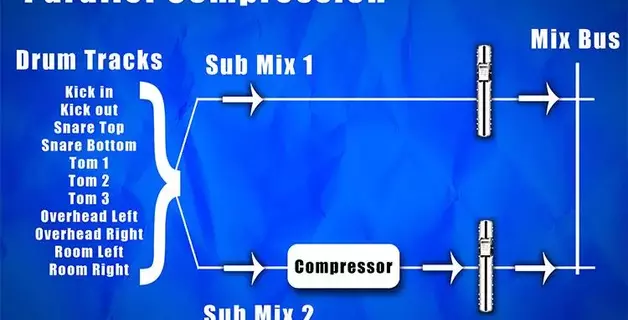
Mixing vs Mastering: The Difference, Explained

Most producers learning to finish their own songs hit the same wall around the same time. The arrangement is done, the parts are recorded, and now there's a vague middle distance between "rough demo" and "final mix" filled with two words used interchangeably that shouldn't be: mixing and mastering. The mixing vs mastering question feels theoretical until you realize that these are two distinct stages of work, with different goals, tools applied differently, and different answers to whether you should do this yourself or hand it off.
The short version, with mixing and mastering explained as plainly as possible: mixing balances and shapes the individual tracks inside your song so they sit together as one cohesive piece. Mastering treats the finished stereo file as a whole, polishing it so it translates well across every speaker, pair of headphones, or car stereo someone might play it on.
If you've ever taken a photo with your phone, the analogy is close enough. Mixing is like composing the shot: deciding what's in the frame, where each subject is located, what's in the foreground and what's in the background. Every choice changes how the parts of the picture fit together. Mastering is what you do to the finished picture afterward: adjusting brightness, contrast, and color across the whole image so it looks right whether someone sees it on a phone, a laptop, or in print.
This article walks through the practical details of difference between mixing and mastering as they actually exist when mixing in a DAW, not in a textbook:
- What mixing is and what it consists of
- What mastering is and what makes it a separate stage
- A side-by-side table of the technical differences
- Whether to do mastering yourself, use a service, or hire a specialist
- The most common beginner mistakes worth avoiding
What is mixing in music production?
Mixing is the stage of music production where you go through each instrument track in your project and adjust their level, EQ settings, dynamics, and panning based on how it fits with everything else.
Mixing refines the sonic quality of your musical idea. It's the stage where you make dozens if not hundreds of small decisions: sidechaining the kick against the bass so they don’t clash, automating a vocal volume ride through the second verse, carving the midrange so the guitar and piano parts fit well together. These audio mixing techniques can all be done inside a DAW with no outboard gear; that's how almost all electronic music gets mixed now.
A quick note on terminology. In electronic music, "mixing" carries two meanings that may get a beginner confused. The word "mixing" is also used to describe what a DJ does — blending finished, produced tracks into a continuous non-stop set for a dancefloor. The other meaning is what we cover in this article: balancing instruments in your project so they live together as one piece of music. Same word, two crafts.
What is mastering?
Mastering is the final stage of the audio production process. You master a single stereo file — the finished mix, not the multitrack session. The essence of music mastering process is the final polish before a song goes out into the world: optimizing loudness for wherever the song is going, making sure it works on every system someone might play it on, and catching anything the mix left behind. For an album, it also means matching levels and tone across every track so the whole thing listens consistently. Audio mastering is what handles all of that.
Unlike mixing, where effects are spread across dozens of tracks, mastering runs one chain of tools on a single stereo channel. That chain typically includes corrective EQ, multi-band compression, stereo imaging, sometimes saturation, and a brickwall limiter at the end to hit a specific loudness target. Mastering also relies heavily on metering tools that help you measure the signal precisely in numbers and visual graphs (LUFS meters, spectrum analyzers, etc), because different media and platforms require different levels of target loudness.
Mixing vs mastering at a glance
The big difference is that mixing works on individual instrument tracks, mastering works on the finished stereo file. Almost every other distinction between the two follows from that. Here's a side-by-side comparison of the most important differences between mixing and mastering.
| Comparison | Mixing | Mastering |
|---|---|---|
| What is worked on | Each instrument track individually | Final stereo mixdown |
| When it happens | Can be done incrementally during arrangement. | Requires final locked arrangement. |
| Goal | Making all instruments sit well together and sound cohesive. | Making the song translate across various playback systems. |
| Reference | Instruments against each other within the song. | Your song against commercial releases in the genre. |
| Loudness work | Gain staging: No channel (including master) can reach 0 dB. | Hitting LUFS targets per paltform |
| Stereo mixdown | Format and platform-specific masters (CD, vinyl, streaming) | |
| Specialist needed? | Often DIY by producer. | Usually handed off to a mastering engineer. |
The table captures the differences, but it doesn’t describe how different these two types of work feel in practice. When you mix, your attetion is focused on details: how the kick sits against the bass, whether the vocal is forward enough in the chorus, etc. When you master, you're more in the “big picture” or overview mode: comparing the whole song against other finished releases, asking whether it holds up on a car stereo and has the right loudness in a playlist. Some of the same tools can be used in both stages (EQ, compression) but in mixing you might have an EQ on every track solving a specific problem, while in mastering there's one EQ on the stereo bus making very few yet crucial final adjustments to the whole song.
That shift in perspective is also why mastering is often treated as a separate event. Many producers leave at least a day between finishing a mix and starting to master it. Some hand it off to a mastering engineer as someone who has never heard the song before and brings completely fresh ears.
The mixing process: what you actually do
The music mixing process for a digitally produced song usually moves through these stages, with a lot of iteration between them:
- Gain staging. Set the output level of each individual instrument channel so that when everything plays together, the master bus stays well below 0 dB. In practice, this means each track should peak at around −10 to −12 dB at its loudest leaving enough headroom so the master bus doesn't clip when everything plays at once. As you add effects to each channel, check that the signal doesn't spike toward 0 dB at any point in the chain. Such effects as saturation and distortion can push levels much higher than expected.
- Relative balance. Start setting levels of each track beginning with your loudest elements (kick, bass, drums) and every other instrument's level relative to them. This is where the mix's hierarchy takes shape: what's in the foreground, what's in the background, what supports and what leads.
- EQ. When two instruments occupy the same frequency range and play simultaneously, they mask each other and neither sounds clearly. Use EQ to resolve this by turning down a specific frequency range on one instrument to make room for the other. A keyboard and guitar both sitting in the midrange will fight each other until one is scooped slightly to let the other through.
- Compression. A compressor automatically turns down the loudest moments of a track so its volume stays more consistent throughout. On vocals, this means every syllable is at roughly the same level even if the singer varied in intensity. On bass and drums, it keeps individual notes from spiking unevenly, resulting in what producers describe as a "tighter" or "glued together" sound.
- Automation and spatial effects. Automation turns a static mix into a dynamic one with volume rides, effect sends, and parameter changes over time like a filter opening on a synth to build tension into a chorus. Reverb and delay are usually sound design or arrangement stage tools, but in mixing they can push an instrument further into the background to add depth.
Mixing is where the sound design and arrangement decisions you made during composition come to life as a finished song. No matter how well-arranged the parts are, mixing is what makes them sound like a finished song rather than a collection of parts.
The mastering process: what you actually do
In mastering, all the work happens on one channel, the stereo bus. What that involves depends heavily on the track itself and the mixing decisions made in it, so not every mastering session uses all of these tools. Here is what a typical mastering process looks like:
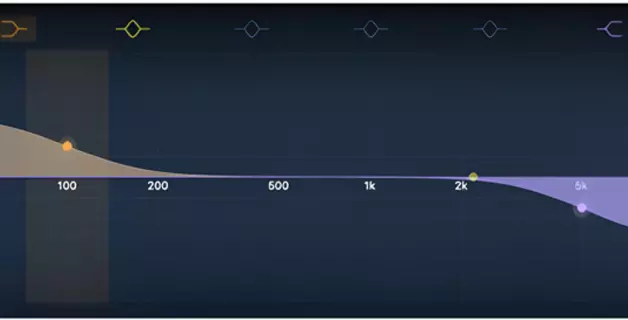
- Corrective EQ. After mixing, auditioning the finished mixdown against reference tracks or in the context of an album sometimes reveals additional subtle tonal adjustments worth making. A gentle high-shelf boost for “air”, a low-shelf cut to clean up the sub-bass. Not every mixdown needs this, but fresh ears and new context often let you hear things the mixing stage didn't reveal.
- Multi-band compression. A regular compressor works on the whole signal at once: if one frequency range gets too loud, everything gets turned down together. Multi-band compression splits the signal into separate frequency ranges and compresses each one independently, so you can even out the low end without affecting the rest of the song.
- Stereo imaging. Adjusts how much of the signal sits in the center versus how far it spreads toward the left and right. Most stereo imaging tools let you do this separately for different frequency bands. In practice, the low end (kick, bass) is almost always kept centered, while the width of the mids and highs is adjusted to suit the feel of the particular track.
- Limiting. A limiter sets a ceiling the signal cannot exceed. This lets you bring the overall loudness of the track up to the level required for its destination, and limiting is what gets you there without clipping or distorting. Streaming platforms, CD and vinyl each have their own peak loudness requirements.
Every track you release needs both mixing and mastering, in that order. It cannot work any other way: mastering can only begin once mixing is done.
The quality of mixing also sets the ceiling for what mastering can achieve. Give a mastering engineer a well-mixed track and they can make it sound exceptional. Give them a poorly mixed one and they can make it louder, but balance problems, frequency conflicts, and other issues not fixed in mixing will still be there. Those can only be addressed while you still have access to individual tracks. At the mastering stage, those decisions are behind you.
DIY mastering, online mastering, or a mastering engineer?
Three realistic paths exist for getting your song mastered. Each fits a different scale of release and a different budget.
DIY mastering in your DAW. Most modern DAWs have capable enough built-in tools to put together a mastering chain: an EQ, a compressor, and a limiter on the master bus. Nothing is stopping you from trying it yourself, and for demos or tracks you are not putting out publicly, it is a perfectly reasonable path. One thing a home setup cannot easily replicate is the listening environment: professional mastering studios are acoustically treated rooms with high-end monitor speakers specifically chosen to reveal problems that cheaper setups hide.
The real challenge is not the tools, though. Mastering requires a trained ear for subtle details that takes years to develop, and it requires fresh perspective on the track — something that is genuinely hard to manufacture after you have spent days, weeks, or months making it. For that reason, DIY mastering tends to work best for competent experienced producers. For everyone else, it is worth knowing this limitation going in.
Online mastering services. Services like LANDR or eMastered use AI to master a track in minutes, for anywhere from a few dollars per track to a monthly subscription. Quality has improved significantly and is genuinely competent for many electronic and pop genres, where the algorithms have a lot of training data.
The main tradeoff is control. These services work as a black box — you hear the result but have no visibility into what was done, and you cannot discuss with the algorithm what you want changed the way you could with a human engineer. If you want something different, you start over and hope the next result is closer. If your track sits clearly within a well-defined genre, such as hip-hop, house or rock, you are more likely get a solid result. But if it blends genres or is a bit outside of clear-cut formulas, the algorithm may have a harder time identifying how it should sound mastered.
A mastering engineer. A specialist brings years of trained hearing, a purpose-built listening room with professional monitors, and expert knowledge from having mastered thousands of tracks. Rates start around $75 per track at the affordable end and go up significantly for established names.
Even experienced producers who can do basic mastering themselves often prefer to hand this off when the release matters. Not because they lack the skills, but because after weeks inside the same song, you simply cannot be objective about it anymore. This perspective, along with the very specific professional mastering skills, is what you are paying for.
Common beginner mistakes
The most common mistake is assuming mastering will fix a bad mix — it won't. Here’s a few other common misconceptions about mixing and mastering.
- "I'll just trust my ears." Mastering without referencing your result against professionally released tracks in the same genre is another common mistake. Your ears adjust to what they've been hearing and after a long session, almost anything starts to sound acceptable. Comparing loudness, the amount of bass and treble it has, and how full and clear it sounds overall to a well-chosen reference track gives you an objective anchor that your ears alone cannot provide.
- "Louder is always better." Streaming platforms like Spotify, Apple Music and YouTube automatically adjust every track to a standard loudness level before it reaches the listener. Push your master as loud as possible and the platform turns it back down anyway. Except now the dynamic contrast between the quiet and loud moments has been crushed out of it in the process.
- Mixing on cheap earbuds only. Consumer headphones boost certain frequencies and suppress others to make sound more appealing rather than reproducing it neutrally. You end up working with a distorted picture of your own track, and the result on other systems can be a genuine shock.
Mixing and mastering for beginners starts with exactly what this article covers: understanding what each stage does, in what order, and what mistakes to avoid. Most producers start by learning to do both themselves, graduate to hiring a mastering engineer for releases that matter, and keep refining their mixing for as long as they make music. If you are just starting out, Amped Studio gives you everything you need to begin making music: recording, arranging, and mixing in one place, in your browser, with nothing to install.
FAQ
Mixing comes first, always. Mastering works on the stereo file that comes out of mixing after it is complete and final. A useful rule of thumb: if you're still thinking about individual track levels, you're mixing. Once you have exported the audio render of the project and you're working on the overall sound of the whole song, you've started mastering.
Quick mixing vs mastering comparison: mixing makes the individual parts of a song work together balanced and shaped so they form one cohesive whole. Mastering makes the finished song translate adequately everywhere: on earbuds, in a car, on streaming, on club speakers. Mixing works on many instrument tracks at once. Mastering works on a single final stereo file.
Yes, but doing it well requires a trained ear, decent monitoring equipment, and a solid understanding of the tools involved, which takes time to develop. You can start by learning mastering inside your DAW using EQ, compression, and a limiter on the master bus, or use automated services like LANDR or eMastered as an accessible middle ground. As you progress, for releases where the result really matters, hiring a specialist is still the better call.
No. Mastering enhances a finished mix; it can't repair a broken one. Problems with balance, muddy low end, or harsh vocals have to be fixed in the mixing stage where you have access to individual tracks. A mastering engineer working on a bad mix will either request a revised mix or produce a master limited by the source material.
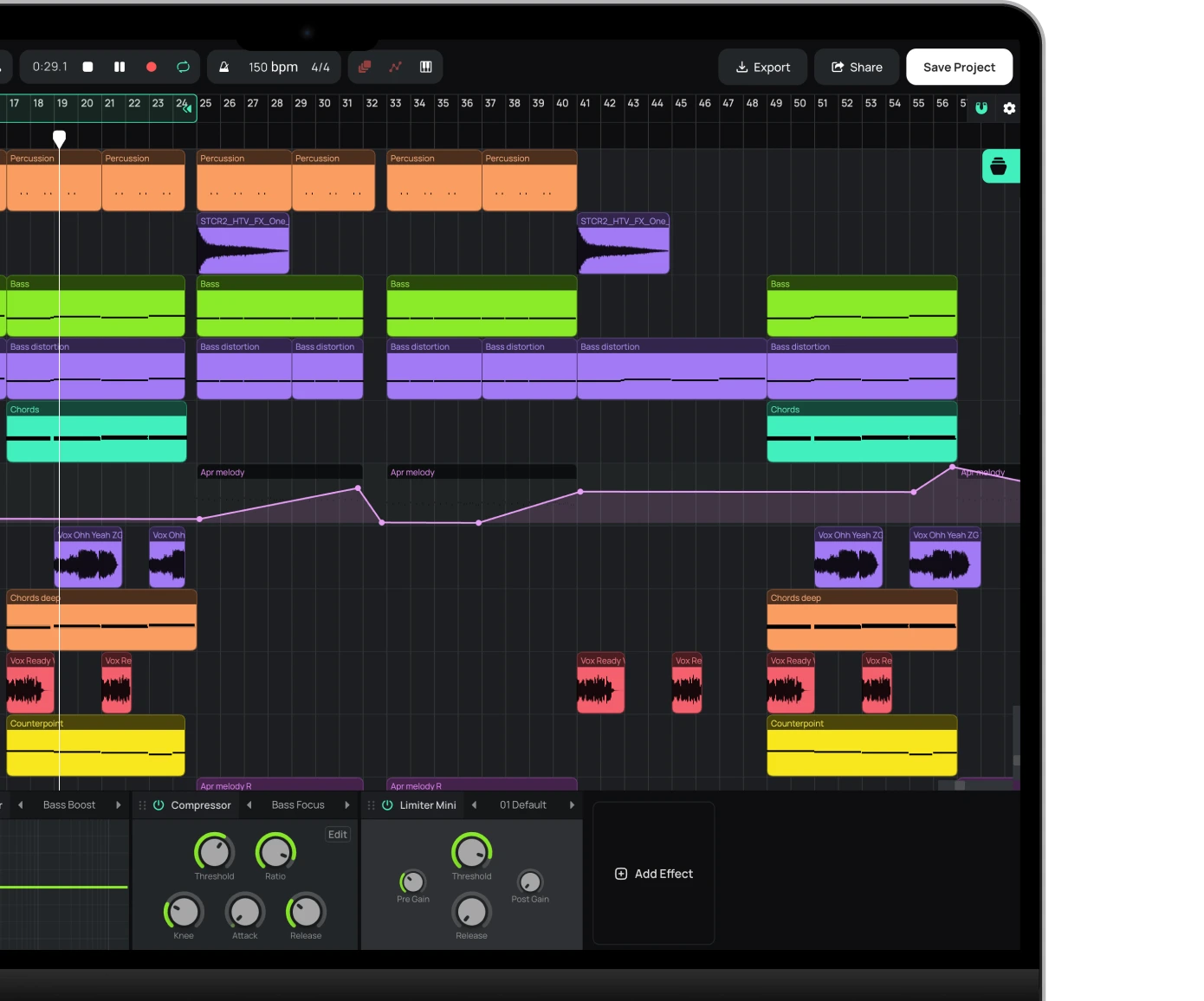
Start creating beats and songs in minutes. No experience needed — it's that easy.
Get started