How to Make a Cover Song: From Learning the Parts to Releasing It Legally
What is a cover song? It is a new version of an existing song originally written and released by someone else, performed or produced by you. People make cover songs for many reasons: practice, learning how a track is constructed, tribute or homage to an artist they love, or reinterpreting a familiar song in a new style. The production side has never been more accessible. The legal side is less obvious than it looks, so we will also cover it here, including how to make a song cover that is ready for legal release on Spotify, Apple Music, and YouTube.
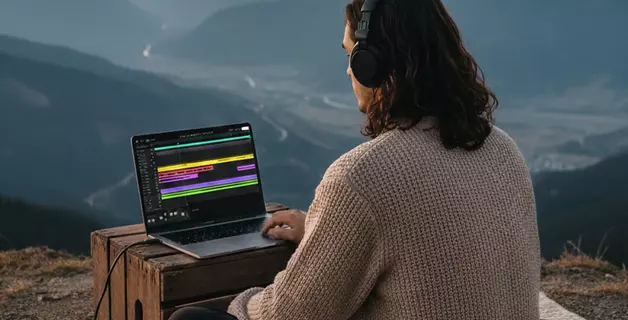
Modern browser-based DAWs make it possible to record, arrange, and mix a full project without installing anything, working in a browser tab from any computer. Amped Studio is a great example because it includes tools that handle the hardest part of the process: figuring out what the original recording is doing musically. Read on if you want to find out what they are.
Cover Song Meaning, Types, and Examples
At the surface the cover song meaning is straightforward. A cover song, also called a cover version, is a new performance or recording of a song someone else wrote and released. The term spans everything from a faithful reproduction to a complete reimagining.
What complicates the topic is the legal layer underneath. Every released track carries two distinct copyrights: one for the composition which is the melody, chords, and lyrics, and one for the master recording, the specific recorded version. The composition belongs to its songwriter. The master recording belongs to whoever recorded it, which in your case is you. This split is what cover song licensing addresses, and we return to it in the second half of this guide.
Some of the most widely heard recordings of the past decade are covers. Miley Cyrus's "Jolene" stayed close to Dolly Parton's arrangement and reintroduced the song to listeners who had never sought out the original. Postmodern Jukebox went the opposite direction, building a global touring act on the premise of reimagining contemporary pop in vintage jazz.
Cover vs. Remix vs. Sample vs. Tribute
These terms get used interchangeably in casual conversation, but they mean different things legally and creatively. The cover vs remix and cover vs sample distinctions matter most in practice, because each carries different licensing requirements.
- Cover. You re-record the whole song yourself. New performance, same composition.
- Remix. You use the original recording (or its stems) and rework it. Requires clearance from the rights holder of the master recording, not just the composition.
- Sample. You take a piece of someone else's recording and use it inside a new song. Requires clearance of both the master and the composition.
- Tribute. A cover that closely imitates the original arrangement, often as part of a tribute album or live show. Informal term, no separate legal status.
How to Make a Song Cover, Step by Step
Making a song cover breaks down into four stages: learning the parts, choosing your arrangement approach, recording your version, and (if you plan to release it) clearing the licensing. The first three are production tasks. The fourth is a legal one. We walk through each below.
Step 1: Learn the Parts
Once you have chosen a song, you need to know what is being played. Here are the three options you have to learn how to play the parts of your chosen song:
Find Existing Notation
For well-known songs, chord charts and tabs are often available on sites like Ultimate Guitar or Songsterr. MIDI files exist for many pop, rock, and classical pieces and can be imported directly into Amped Studio's timeline as MIDI clips, then edited in the note editor.
This is the fastest path, but accuracy varies. User-submitted chord charts are frequently wrong or simplified. Always cross-reference against the recording.
Transcribe by Ear
If you have years and years of classical or jazz musical education, the easiest method for you would probably be picking up instrument parts by ear.
Split into Stems, Convert to MIDI
For newer songs, obscure tracks, or anything without reliable notation online, Amped Studio offers a two-step workflow that handles most of the transcription work automatically.
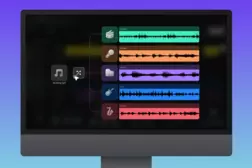
- Step one: split the song into stems. The AI Splitter, available from the AI Tools menu, separates a recording into four stems: Vocals, Drums, Bass, and Other. Drop the original song in, wait for processing, and you get four tracks on the timeline, each containing one layer of the mix.
- Step two: convert each stem to MIDI. Run Audio to MIDI on the stems you want to transcribe. It works on both monophonic parts (like bass) and chord parts. You get a MIDI clip with the detected notes, which you can then audition against the original and edit in the note editor. You do not necessarily need every stem converted. Depending on how you plan to arrange your cover, you may want the bassline, the full chord progression, the vocal melody as a reference, or all of the above. Pick what serves your version.

Step 2: Choose Your Arrangement Approach
Before you start recording, decide how closely your version will follow the original. The arrangement decision shapes every other choice you make as you create a song cover, so it is worth committing to a direction up front. Three broad approaches.
Faithful cover. Same key, same tempo, similar arrangement. Your version is distinguished by your performance rather than your creative changes, which may actually be the difficult part. If your cover is very close to the original, your performance has to hold up next to it.
Reimagined cover. Different instrumentation, tempo, or genre. "Smells Like Teen Spirit" has been covered as a lullaby, as swing, as bluegrass, and as classical piano. "Hallelujah" has dozens of distinct versions that have each shaped how audiences hear the song. This is where most interesting covers live, and where cross-genre reinterpretation (a metal version of a country song, an acoustic version of an electronic track) gets the most creative mileage.
Partial rework. Keep the vocal melody and lyrics, change everything else. Common in electronic and pop contexts. Same song, new production.
There is no single best option among the three. Everything depends on the song itself, and of course, your own taste and decision.
Step 3: Recording a Cover Song in Amped Studio
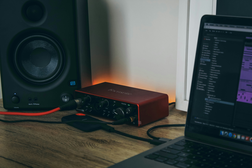
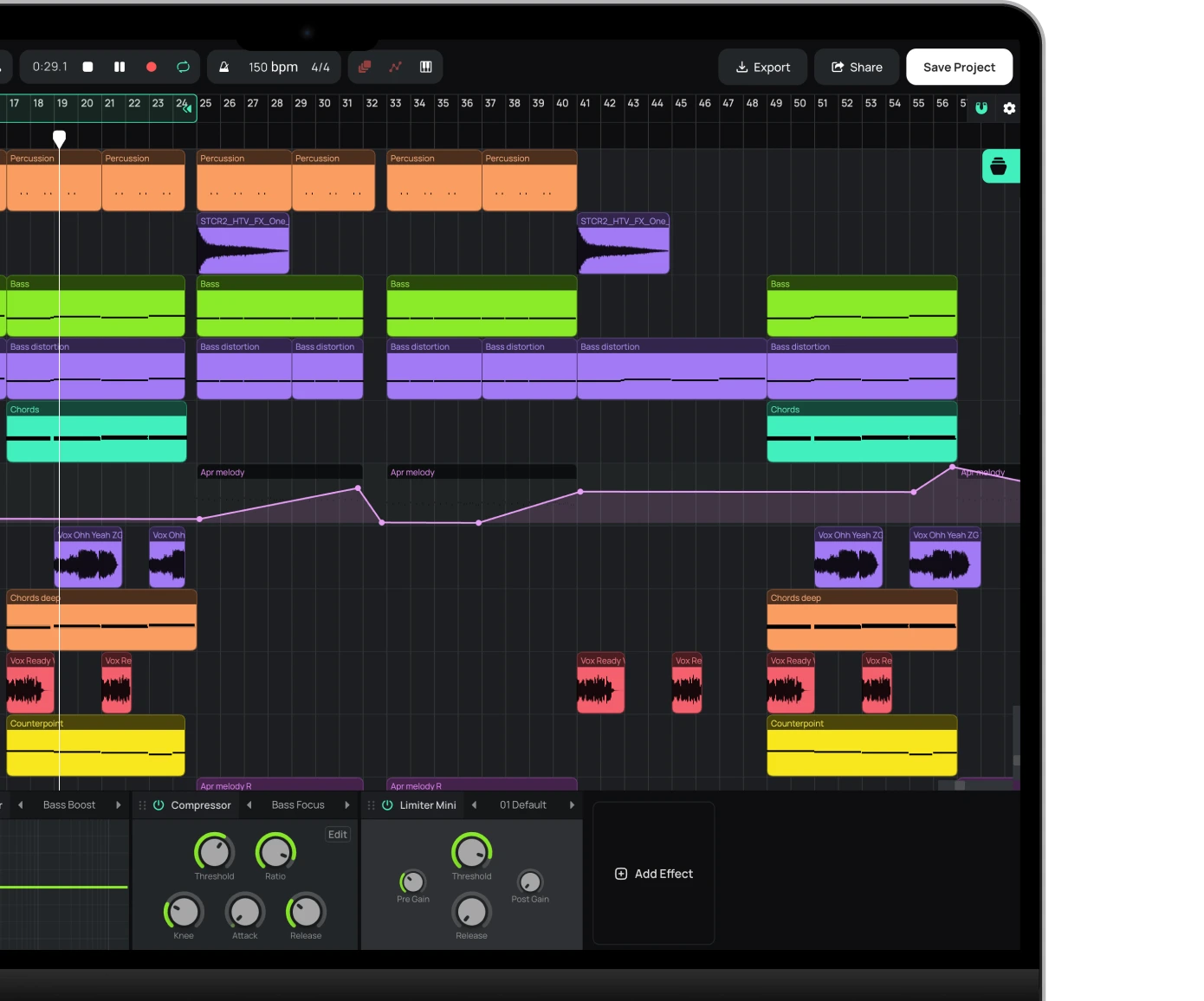
With the individual instrument parts learned and the direction decided, recording a cover song follows the same process as recording any original track. The question of how to record a cover song at home, when Amped Studio runs in a browser, has a simple answer: a laptop, headphones, and whatever microphone or instrument you plug in.
Setting Up the Project
Open Amped Studio in your browser and create a new project. If you are changing the tempo from the original, commit to it before you start recording. Trying to change tempo later can create timing problems later on.
Add instrument tracks for virtual instruments you plan to program with MIDI, and audio tracks for anything you will record live: vocals, guitar, keyboard captured through a microphone, or any external instrument routed through your audio interface.
Recording Live Parts
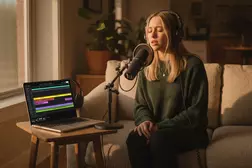
Everything you play or sing into a microphone or audio interface goes onto an audio track. Arm the track, hit record, and Amped Studio captures the performance.
Three practical points:
- Record live instruments and vocals without effects. Leave reverb and delay out of the recorded signal and apply them on the track's device chain afterward. You can always change your mind about the exact amount of reverb you want later. You cannot remove one that was recorded into the audio.
- Use a click track at least for the first pass. Amped Studio's metronome is in the transport controls.
- Record multiple takes. Comping a good vocal from three takes can save you a lot of time trying to sing one perfect take from start to finish.
Programming the Rest
Anything you are not recording live gets programmed as MIDI: drum patterns, synth basslines, keyboard parts, pads. Draw the notes into the note editor and choose the instrument to play that part. For drums, stay on the grid initially. You can humanize velocities and timing afterward.
For chord progressions, the Chord Creator tool in the note editor lets you build the exact progression you need in a few clicks rather than entering each note by hand.
If you chose the faithful approach in Step 2, you will be adding the same types of instruments and parts as the original. If you went for a reimagined cover, the arrangement is up to you: how many parts, what instruments, what role each plays in the mix. Build the arrangement out part by part until the song is complete.
Once the arrangement is locked in, it is time to mix. For a deeper look at what mixing actually involves, see our mixing and mastering guide.
Licensing a Cover Song
As we mentioned earlier, a cover only requires you to clear one of the two copyrights attached to a song: the composition. The master recording is yours, because you recorded it. That is the entire conceptual basis of cover song licensing, and everything that follows is procedure.
You do not need any license at all if you are recording a cover for your own purposes rather than for public release. Common reasons include making a backing track to practice singing or playing along, studying how a song is put together by recreating it, or using the process as a composition exercise. Licensing only becomes relevant the moment you distribute your cover to the public.
Releasing on Spotify, Apple Music, and Other Streaming Platforms
To release a cover song legally on streaming platforms, you need a mechanical license for the composition. In the US, songwriters are required by law to grant this license as long as you pay a set royalty. You do not need the songwriter's personal approval, and you do not need to negotiate with their publisher. The process is standardized.
The simplest route for independent artists is to distribute through a service that offers built-in cover clearance. DistroKid has a cover song license add-on that handles the mechanical license as part of the distribution fee, and it is the most common path for independent cover releases. Other distributors offer similar options.
The royalty itself is set by law and adjusted periodically. You pay per stream, download, or unit sold.
Outside the US, rules vary by country, but most major distributors handle the regional complexity automatically through their cover clearance service.
Posting a Cover on YouTube
YouTube operates on a different licensing system. Most major music publishers have agreements with YouTube through its ContentID system. When you upload a cover, ContentID scans the audio against a database of registered compositions. If a match is found:
- Your video typically stays up.
- Revenue from ads on your video is automatically routed to the rights holders of the composition.
- You do not get paid for the cover, but you are not taking it down either.
This arrangement works for the vast majority of popular songs, which is why millions of covers exist on YouTube in what is technically a gray area. You need sync licensing for video use, strictly speaking, but ContentID handles most of the commercial consequences automatically.
Where it gets complicated:
- Songs by artists whose publishers are not in ContentID may result in takedowns.
- Covers that also use video footage of the original artist will likely be removed.
- Monetizing the video yourself (keeping the ad revenue) is generally not possible on unlicensed covers.
If you want to properly license a video cover and earn revenue from it, you need a sync license from the publisher, which is a separate and much more involved process. Sync licenses are usually negotiated directly and rarely granted for small independent releases.
Posting Non-Commercially Online
If you upload a cover to SoundCloud, or post it on Bandcamp priced at zero, what happens is in the hands of the rights holder. Some of them may send takedown notices even for small, non-commercial uploads; others never take action. While the practical risk may be low for small releases, that does not make such uploads 100% legal. If you plan to publish your cover at any scale, clearing the composition through a distributor with cover license support is the clean and straightforward path.
Disclaimer: This guide is not legal advice. Copyright law varies by country, changes over time, and has edge cases worth checking. If your cover is gaining traction, has commercial potential, or involves a rights holder known for strict enforcement, talk to a lawyer with copyright experience.
From Practice to Release
Making a cover song and releasing one are separate decisions. The creative work happens inside Amped Studio: AI Splitter and Audio to MIDI handle the parts that used to require sheet music or a trained ear. The licensing happens later, only if you decide to publish, and most of it is a checkbox on a distributor's upload form, a small fee, and a few weeks of waiting. Whether you make a song cover for practice, study, release, or for the love of a particular song, the bigger work is the cover itself.
FAQ
A cover song is a new recording of a song originally written and released by someone else. The composition (melody, chords, lyrics) belongs to the original songwriter, while the new recording belongs to whoever made it. Covers can stay close to the original or reinterpret it.
Covering a song means recording or performing your own version of a song that someone else wrote and released. Your version can stay close to the original or reinterpret it in a different style, tempo, or genre.
Yes, in most cases. US law requires songwriters to grant a mechanical license for a cover as long as you pay a set royalty, which means you do not need the original artist's permission. Distributors such as DistroKid offer a cover song license add-on that handles this automatically. Outside the US, rules vary, but most distributors automate compliance through their cover license services.
Yes. YouTube's ContentID system lets most cover videos stay up, with ad revenue automatically routed to the rights holders of the composition. You generally do not need a separate license, but you also do not earn from the cover. Takedowns can happen when the publisher is not enrolled in ContentID or when you use video footage of the original artist.
Yes, but you need to clear the mechanical license for the composition first. The simplest route is distributing through a service like DistroKid with its cover song license add-on. An unlicensed cover cannot be legally uploaded to Spotify, Apple Music, or any other commercial streaming platform.
Open a DAW such as Amped Studio, which runs in your browser without installation, and set up tracks for each element of your cover. Record vocals and live instruments through an audio interface or microphone. Program drums and synth parts as MIDI. Mix the tracks and bounce the final audio.
No. A cover is a new recording of a song where you re-perform and re-record everything yourself. A remix uses the original recording, or its stems, and reworks it. Remixes require clearance from the master recording owner as well as the composition owner. Covers only require composition clearance.
A distributor's cover license add-on is typically a small fee per song on top of the annual distribution cost, plus a per-stream royalty paid to the songwriter. The rate is set by law in the US and adjusted over time, so check current rates on your distributor's site before release.
Start creating beats and songs in minutes. No experience needed — it's that easy.
Get started